
Unicorn Games for 2+ Year Olds
IDZ Digital Private LimitedEducational
4.229.00 Reviews
- Version
- 2.6.7
- Installs
- 1.00M
- Age Rating
- Everyone
Screenshots
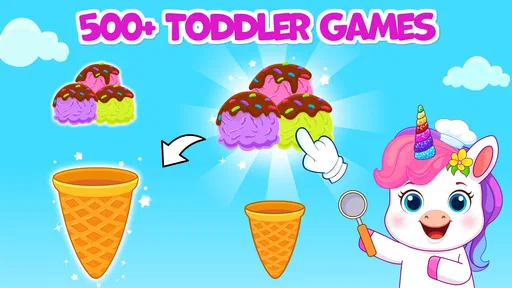
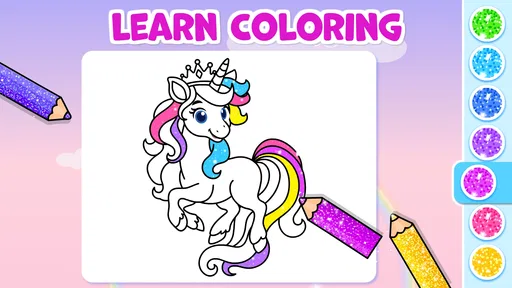
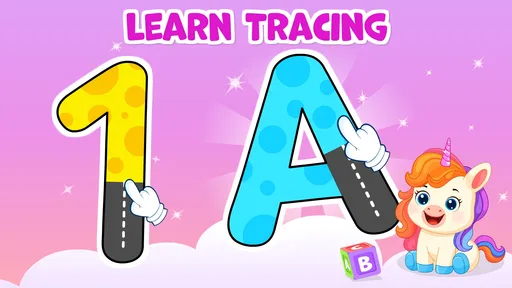
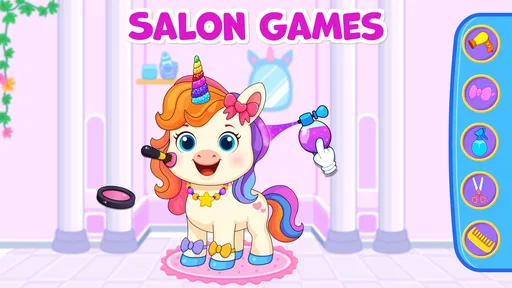
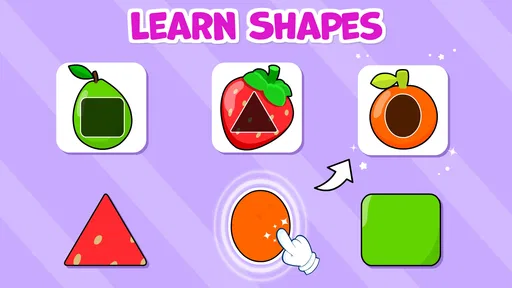
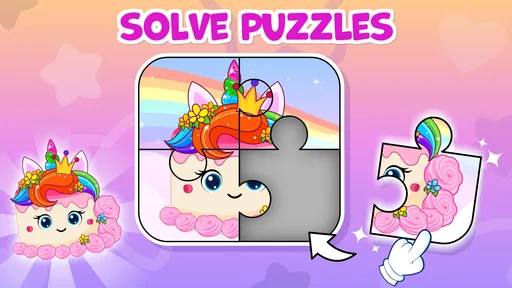
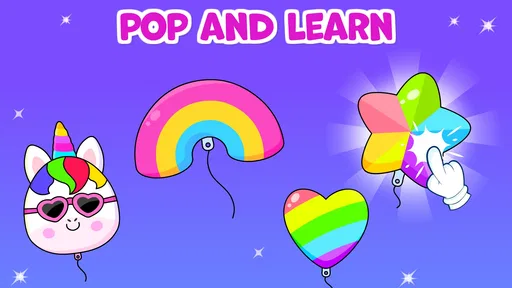
Our Review of Unicorn Games for 2+ Year Olds
 Analysis by Appyee
When I’m choosing a game for a very young child, I want it to be easy to start, gentle in its demands, and interesting enough to invite a little exploration. Unicorn Games for 2+ Year Olds is an educational game from IDZ Digital Private Limited built around that mix. Its unicorn theme gives the activities a clear, playful identity, while the focus on simple learning makes it more than a collection of pretty screens. My impression is that it works best as a short, shared play option rather than a substitute for varied offline activities.
Colorful World of Unicorns
The first thing that jumps out at you is the vibrant and colorful interface of Unicorn Games for 2+ Year Olds. The designers have done a fantastic job in creating a visually appealing environment that’s sure to capture the imagination of any young child. The graphics are bright, with an array of pastel colors that are gentle on the eyes but exciting enough to keep kids engaged.
Each game within the app introduces a new unicorn character, each with their own unique flair and personality. This not only keeps things fresh but also helps young ones develop a sense of curiosity and exploration. It's almost like opening a new surprise with every session.
Easy Navigation for Little Fingers
One of the standout features of this app is its intuitive navigation. The developers clearly had little ones in mind when designing the user interface. The buttons are large and easy to press, which is perfect for those tiny, curious fingers. There are no complicated menus or overwhelming options, just straightforward choices that make it easy for toddlers to jump right into the fun.
Plus, the app is designed to be interactive. Kids can drag and drop items, tap objects to see what happens, and even shake the device for a bit of surprise magic. It’s a hands-on experience that encourages exploration and discovery.
Engaging and Educational
While the app is primarily designed for entertainment, it does sneak in some educational elements. Each game is crafted to promote skills such as color recognition, hand-eye coordination, and basic problem-solving. For instance, one game might involve matching unicorns with objects of the same color, while another might require sorting items by size or shape.
These activities are cleverly disguised as fun challenges, so kids are learning without even realizing it. It's a win-win situation for parents who want to provide their children with a balance of fun and learning.
Magical Sounds and Music
What’s a unicorn game without a bit of magic in the sound department? The app features delightful sound effects and whimsical music that add to the overall experience. The tunes are catchy but not overly repetitive, which is a relief for parents who might have to listen in the background. The sound effects are playful, adding an extra layer of interaction that makes the games even more engaging.
Sound can change how well a toddler settles into a game, so I’d try it at the volume that suits your home rather than handing over a device with audio turned up. A child who enjoys sound cues may find them helpful; another may be distracted by the music and focus better with the device muted. That small adjustment is an easy way to make a shared session calmer without changing the activity itself.
Parental Controls and Safety
Safety is always a top priority when it comes to apps for young children. I was pleased to find that Unicorn Games for 2+ Year Olds includes some basic parental controls. There are no in-app purchases, so you won’t have to worry about any unexpected charges. The app also doesn’t require an internet connection, which means it's safe from unwanted ads or content.
Furthermore, there’s a "parental lock" feature that prevents kids from venturing into areas of the app they shouldn’t be in. It's comforting to know that developers have thought about these aspects to ensure a safe and controlled environment for our children.
For clarity, the game is free to download, but it does offer in-app purchases, with items priced from $6.99 to $49.99. I would check the purchase settings and parental controls before letting a child explore independently; a child-friendly interface does not remove the need for an adult to manage spending. The age rating is Everyone, but that is a broad content label, not a promise that every toddler will find every activity equally easy or engaging.
Small Goals That Make Starting Easy
The appeal here is less about a long adventure and more about having a simple activity ready when a child wants to tap, match, or sort. The stated range of activities gives families several kinds of play to choose from, and the small tasks suit children who are still learning how to follow a direction and complete it. I would treat a session as a chance to explore rather than set a target for how many games a child should finish.
A useful approach is to let the child choose one activity, then sit nearby and describe what is happening: “You found the same color,” or “That one is bigger.” This keeps the game from becoming passive watching and gives a parent a natural way to connect the on-screen action with objects around the room. If attention wanders, there is little reason to insist on finishing; stopping while the child is still content can make it easier to return another time.
Progress Without a Scoreboard
For a toddler, progress is often visible in the way they handle a familiar task: they may recognize what to tap, make a more deliberate choice, or try again after a mismatch. Those are more useful signals than expecting a formal score or a streak. I would watch for that growing confidence and offer help only when needed, especially if a child is still figuring out how dragging and tapping work.
This also gives the app a different role from a competitive game. It is not the kind of experience I would choose to test speed or reward a child for reaching a high score. Its value is in providing approachable practice with colors, shapes, coordination, and simple decisions. If a child needs a clear record of learning progress for lessons or therapy, an adult-led activity or a purpose-built learning tool would be a better fit.
How the Challenge Lands
The activities described are aimed at early skills, so I would expect the experience to suit beginners better than children looking for layered puzzles or increasingly difficult levels. That simplicity is a strength when a child is just learning to interact with a touchscreen, but it may also mean that an older or more confident preschooler moves through familiar tasks quickly. The best test is whether the child remains curious and tries different activities, not whether the game feels challenging to an adult.
There is a practical trade-off in having a broad collection of short activities: variety can make it easier to find something that fits a child’s mood, while switching between options can also make play feel scattered. To keep the session focused, I’d offer a choice between a couple of activities rather than browsing together for a long time. That gives the child some ownership without turning the selection screen into the main event.
Compared with a coloring app, this game appears more focused on interaction and simple learning tasks than on making a finished picture. Compared with a general preschool learning app, the unicorn theme gives it a narrower, more imaginative hook, but it may not cover the same breadth of subjects. If a child is especially drawn to unicorns, that theme can be a good invitation to try the activities; if they prefer vehicles, animals, or open-ended drawing, a different app may hold their interest longer.
A Realistic Place in the Day
I can see this fitting into a short wait at home while dinner is being prepared, or into a quiet moment when a parent can sit beside the child for a few minutes. In that situation, I’d pick one activity, let the child try it, and use the matching or sorting as a prompt to talk about colors and shapes away from the screen too. It is less suited to being used as a long, unsupervised distraction, especially for a child who is still learning not to leave an app or tap purchase-related areas.
For families deciding whether it is worth trying, the practical details are straightforward: it is a free educational game, rated Everyone, and its current version is 2.6.5, with Android support starting at version 5.1. It has an average rating of 4.2 from around 5.7 thousand ratings and has been installed over a million times. Those figures suggest that many families have tried it, but they cannot tell you whether its pace or theme will suit your own child; a brief supervised trial is still the most useful test.
The game is aimed at young children, but I would not assume that every child aged two or older will be ready for the same amount of touchscreen play. Some will need help understanding the task or using a drag gesture; others may quickly want more demanding puzzles. An adult’s presence makes it easier to turn a confusing moment into gentle guidance and to stop when the child has had enough.
Final Thoughts
In the world of toddler apps, Unicorn Games for 2+ Year Olds stands out as a delightful option that combines fun, whimsy, and a touch of education. It’s a beautifully designed app that’s sure to capture the hearts of little ones and provide parents with a useful tool for both entertainment and learning.
Whether you’re looking for something to keep your child occupied on a rainy day or a gentle introduction to colors and shapes, this app delivers. It’s a magical journey that’s easy to navigate, educational, and safe—a little pocket of enchantment in the digital world.
If you're interested in giving it a whirl, you can download the app from your device’s app store and let the unicorn adventures begin!
My overall verdict is that it is best for a young child who responds to a whimsical theme and benefits from clear, bite-sized activities, especially when a parent is close by. I would skip it for a child who wants complex progression, a structured curriculum, or open-ended creative tools, and I would keep an eye on the purchase options before handing over the device. For the right toddler, though, it offers an inviting way to practise basic skills through play without asking them to master a complicated interface.
Verdict
Strengths of Unicorn Games for 2+ Year Olds
- Colorful and engaging graphics.
- Simple controls for young children.
- Educational mini-games included.
- Safe and ad-free environment.
- Encourages creativity and fun.
Limitations of Unicorn Games for 2+ Year Olds
- Limited content variety.
- Requires internet for some features.
- No multiplayer option available.
- Might not engage older kids.
- In-app purchases can be pricey.
Other Releases by IDZ Digital Private Limited
View All
Kids Coloring Pages & Book
Educational4.3

Ice Cream Shop Games for Kids
Educational4.6

Toddler Games for 2-3 Year Old
Educational3.6

KidloLand Kids & Toddler Games
Educational4.6
Similar Picks in This Category
View All
Little Panda Policeman
BabyBus4.0

Monster Trucks Game for Kids 2
Raz Games4.1

Little Panda's Chinese Recipes
BabyBus4.4

Little Panda's Restaurant
BabyBus4.4

Little Panda's Ice Cream Games
BabyBus4.3

Baby Panda Care
BabyBus3.8
Frequently Asked Questions
What types of games are included in Unicorn Games for 2+ Year Olds?
Unicorn Games for 2+ Year Olds offers a variety of interactive and educational games designed to entertain and engage young children. These include puzzles, coloring activities, and simple memory games, all featuring vibrant unicorn themes. Each game is crafted to help develop cognitive skills, creativity, and hand-eye coordination in a fun and safe environment.
Is Unicorn Games for 2+ Year Olds safe for my child to use?
Yes, Unicorn Games for 2+ Year Olds is designed with children’s safety in mind. The app is ad-free and contains no in-app purchases, ensuring a secure experience for toddlers. The content is age-appropriate, with simple controls and intuitive navigation, allowing young children to play independently without exposure to inappropriate material.
Can Unicorn Games for 2+ Year Olds be played offline?
Absolutely! Unicorn Games for 2+ Year Olds can be enjoyed without an internet connection. This makes it an ideal choice for traveling or for use in areas with limited connectivity. Once the app is downloaded, all games and activities are accessible offline, providing entertainment anytime and anywhere.
What devices are compatible with Unicorn Games for 2+ Year Olds?
Unicorn Games for 2+ Year Olds is compatible with both Android and iOS devices. It supports a wide range of smartphones and tablets, ensuring flexibility for users. The app is optimized for various screen sizes, delivering a seamless gaming experience across different devices. Make sure your device meets the minimum operating system requirements for optimal performance.
How can I monitor my child’s progress in Unicorn Games for 2+ Year Olds?
The app includes a parental dashboard feature, allowing you to monitor your child's progress and activity. You can track the games your child plays and view their learning milestones. This helps you understand their areas of interest and development, enabling you to provide additional support and encouragement as needed.
Play our best games!


